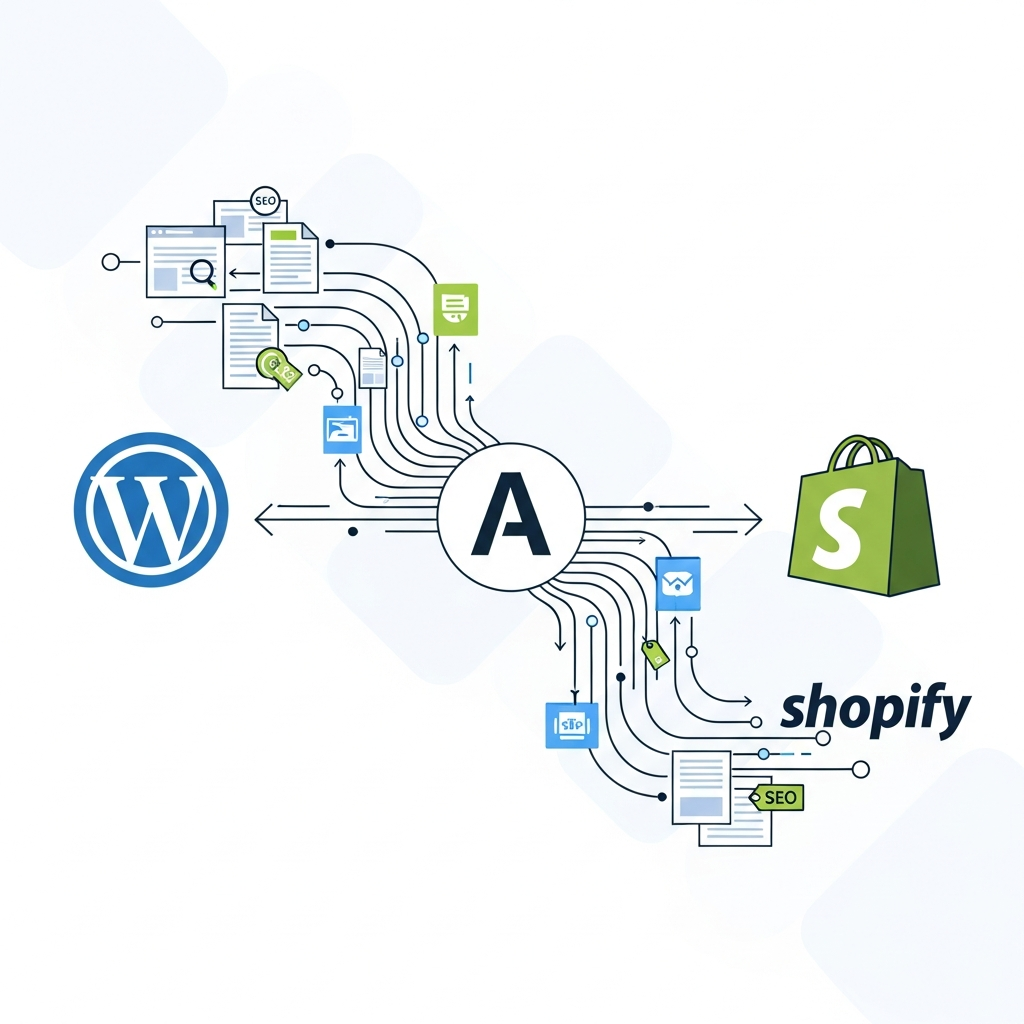
Publish Daily SEO Content at Scale: Automate WordPress and Shopify Workflows
Introduction: The promise of automated publishing at scale
In today’s fast-moving digital landscape, audiences expect fresh, relevant content daily. For teams managing multiple brands, product lines, or regional sites, delivering consistent, SEO-optimized content without burning out the team is a major challenge. Automatic SEO content publishing for WordPress and Shopify opens a path to scale without sacrificing quality. By combining AI-driven generation, structured workflows, and CMS integrations, you can publish daily content that’s not only quick to produce but also aligned with keyword strategy and brand voice.
This guide walks you through a practical, end-to-end approach to automate daily content publishing for WordPress and Shopify. You’ll learn how to orchestrate content calendars, AI writing, image generation, SEO optimization, and publication across multiple sites — all while maintaining governance, security, and measurable ROI.
The business case for automation: why go daily at scale
Automation is not a shortcut to lower quality; it’s a disciplined way to increase velocity while preserving, or even improving, search performance. Key benefits include:
- Velocity: publish fresh content faster to capture timely opportunities and long-tail keywords.
- Consistency: maintain a steady publishing cadence across many sites, ensuring brand voice and SEO hygiene are preserved.
- Scalability: handle numerous topics, geos, and product categories with centralized controls and reusable templates.
- Governance: standardized QA, editorial checks, and access controls reduce risk and improve auditability.
- ROI visibility: data-powered dashboards help teams show impact to stakeholders and adjust strategy quickly.
When combined with AI-generated articles, content calendars, and CMS integrations, you can transform a once-manual process into a repeatable, measurable workflow that supports both evergreen and seasonal topics across WordPress and Shopify.
Core components of the automation workflow
A robust automation workflow includes seven interconnected components. Each can be customized to fit your brand, goals, and tech stack, but together they form a repeatable pipeline from idea to publish.
- Content calendar and topic planning: A centralized calendar defines topics, keywords, target personas, publication dates, and brands or sites involved. This calendar feeds briefs and AI prompts, ensuring alignment with SEO goals.
- AI-assisted content generation: AI models draft article outlines and full drafts based on briefs, keyword targets, and brand voice guidelines. Human editors review for accuracy, tone, and compliance.
- SEO optimization at creation: AI suggests meta titles, meta descriptions, headings, internal links, and keyword placement while respecting best practices for each CMS.
- Visuals and media: AI-generated or human-curated images, alt text, and accessibility considerations accompany each article.
- Review and approval: Editorial QA checks for quality, factual accuracy, and brand voice before any publish action.
- CMS integration and publishing: Articles move from draft to publish-ready status in WordPress or Shopify, with automation hooks for scheduling and cross-site publishing when needed.
- Measurement and optimization: Dashboards track performance, and automated adjustments refine future content decisions.
To implement this reliably, you’ll need a clear set of rules for each stage, including when human review is required, what quality gates exist, and how to handle multilingual or local-market variations.
Step-by-step implementation: from idea to publish
Follow this practical, runnable sequence to stand up an automated publishing workflow for WordPress and Shopify.
1) Define your content goals and keywords
Start with a documentedContent strategy: target audience, buyer journey stages, and a keyword map. Align daily topics with your highest-value keywords, long-tail opportunities, and seasonal events. Establish thresholds for keyword difficulty and anticipated impact so AI prompts stay grounded in business goals.
2) Build a scalable content calendar
Design a calendar that spans at least 90 days of content, with slots for pillar pages, supporting articles, and product-focused posts. Include language variants or geo-specific versions if you operate in multiple markets. Link each item to a brief outlining the article purpose, target keyword, and required media assets.
3) Create AI prompts and templates
Develop repeatable templates for outlines, introductions, subheads, and meta content. Seed prompts with brand voice guidance, tone, audience, and SEO constraints. Include safety checks to prevent disinformation and ensure factual accuracy.
4) Generate drafts and perform initial QA
Let the AI generate draft content based on the prompts. Run automated checks for readability, length, and keyword usage. Use a human editor for tone, accuracy, and compliance before passing to publish.
5) Optimize for SEO inside the CMS
Apply SEO metadata, structured data, and internal-link plans within WordPress or Shopify. Ensure each piece has an optimized title tag, meta description, H1/H2 structure, and schema where appropriate. Validate that image alt text and file names reinforce relevance.
6) Automate the publish schedule
Schedule posts to publish at peak times for target audiences, with fallback queues for high-volume campaigns. For multi-site or multi-brand publishing, ensure proper routing so content lands on the correct site and language variant.
7) Monitor performance and iterate
Track impressions, click-through rate (CTR), time on page, conversions, and engagement. Use these insights to refine future prompts, keywords, and topics. Integrate learnings back into the content calendar for continuous improvement.
SEO optimization at scale
Automation doesn’t bypass SEO fundamentals; it encodes them into scalable processes. Here are practical practices to keep content competitive while publishing daily.
- Automated meta and snippet optimization: Generate compelling titles and descriptions that include target keywords without keyword stuffing. Maintain character limits and readability scores.
- Structured data: Apply schema for articles, products, and local business details where relevant. Validate using automated checks to prevent markup errors.
- Internal linking strategy: Build a plan that links new posts to cornerstone content and related articles, supporting topic authority and dwell time.
- Image optimization: Use descriptive file names, alt text, and responsive formats. AI can suggest alt text that mirrors article relevance while improving accessibility.
- Content freshness signals: Include timeliness indicators (news hooks, seasonal relevance) and update older posts when needed to maintain rankings.
In practice, you’ll automate meta content, schema, image attributes, and internal links in a way that complements human review. The result is a consistent SEO signal across a growing catalog of articles without sacrificing quality.
CMS integrations: WordPress vs Shopify
WordPress and Shopify offer different strengths for publishing, editing, and distributing content. A well-designed automation pipeline accommodates both, while respecting each platform’s nuances.
WordPress considerations
WordPress excels at content-first blogging and SEO tooling. In an automated workflow, you’ll typically:
- Publish drafts as pending-review posts before live publication.
- Leverage custom fields for metadata, author attribution, and content taxonomy.
- Use REST API or plugins to push AI-generated content into the editor with structured prompts and batch operations.
Shopify considerations
Shopify has strong e-commerce alignment, so automation should focus on product-focused content and category pages. Key steps include:
- Publishing blog posts that sit alongside product collections to support listings and promotions.
- Ensuring rapid performance and mobile-first rendering, given Shopify’s frontend constraints.
- Syncing product data with content, so posts reference SKUs, variants, and pricing when appropriate.
Regardless of platform, the automation layer should manage permissions, review workflows, and publishing schedules from a single control plane, with site-specific templates and validation rules.
Governance, security, and compliance
Automation brings scale, but governance is non-negotiable. Implement these guardrails to protect brand integrity and data privacy while meeting enterprise requirements.
- Access control and role management: Define who can generate, edit, approve, and publish content. Use least-privilege permissions and batch onboarding for new team members.
- Audit trails and versioning: Maintain projects, prompts, revisions, and publish histories for accountability and compliance reviews.
- Data privacy and security: Evaluate data handling, storage, and transmission practices. Favor SOC 2-aligned vendors and clear data retention policies.
- Quality governance: Implement automated checks for factual accuracy, brand voice, and editorial guidelines before publish.
For larger organizations, partner governance is essential. Align SLAs, vendor risk assessments, and procurement processes to ensure consistency across dozens or hundreds of sites.
Measuring ROI and ongoing optimization
ROI from automated publishing comes from a combination of traffic growth, engagement, and efficiency gains. Establish a KPI framework that blends qualitative and quantitative metrics.
- Velocity metrics: content published per week, time to publish, and pipeline adherence to the editorial calendar.
- SEO performance: organic sessions, keyword rankings, click-through rates, and time on page across newly published content.
- Quality and engagement: average session duration, scroll depth, and social shares per article.
- Operational efficiency: hours saved in writing, editing, and publishing; reduced bottlenecks in the workflow.
Regularly review dashboards and recalibrate prompts, topics, and templates based on performance. Over time, data-driven refinements compound, boosting both traffic and content quality at scale.
Pitfalls and best practices
Automation is powerful when paired with disciplined practices. Watch for common drawbacks and address them proactively.
- Quality drift: AI-generated content can drift if prompts aren’t well-tuned. Maintain editorial QA and periodic prompt reviews.
- Keyword stuffing and thin content: Enforce word-count thresholds and semantic relevance. Use topic models to ensure depth and coverage.
- Brand voice misalignment: Integrate brand guidelines and feedback loops into templates and reviews.
- Technical issues from multi-site publishing: Implement rigorous testing in staging environments before going live across sites.
- Security oversights: Enforce strong access controls, encryption, and regular security reviews of automation tools.
Best practices include starting with a pilot, documenting a repeatable playbook, and progressively expanding scope as you prove ROI. If you’re looking for a practical companion on editorial workflows, you can explore deeper guidance in our editorial workflow guide for agencies planning, writing, and publishing at scale.
For more context and practical templates, visit the Asimpletool blog hub to see related workflows and case studies, and consider trying schema validation tools to ensure your structured data remains compliant across platforms.
Internal reading and resources
See additional insights in these resources:
- Editorial workflow for agencies: planning, writing, and publishing at scale
- Asimpletool blog hub
- Schema validation tools
With thoughtful planning and disciplined execution, automatic SEO content publishing for WordPress and Shopify can become a foundational capability that scales with your business and helps you stay ahead of the competition.