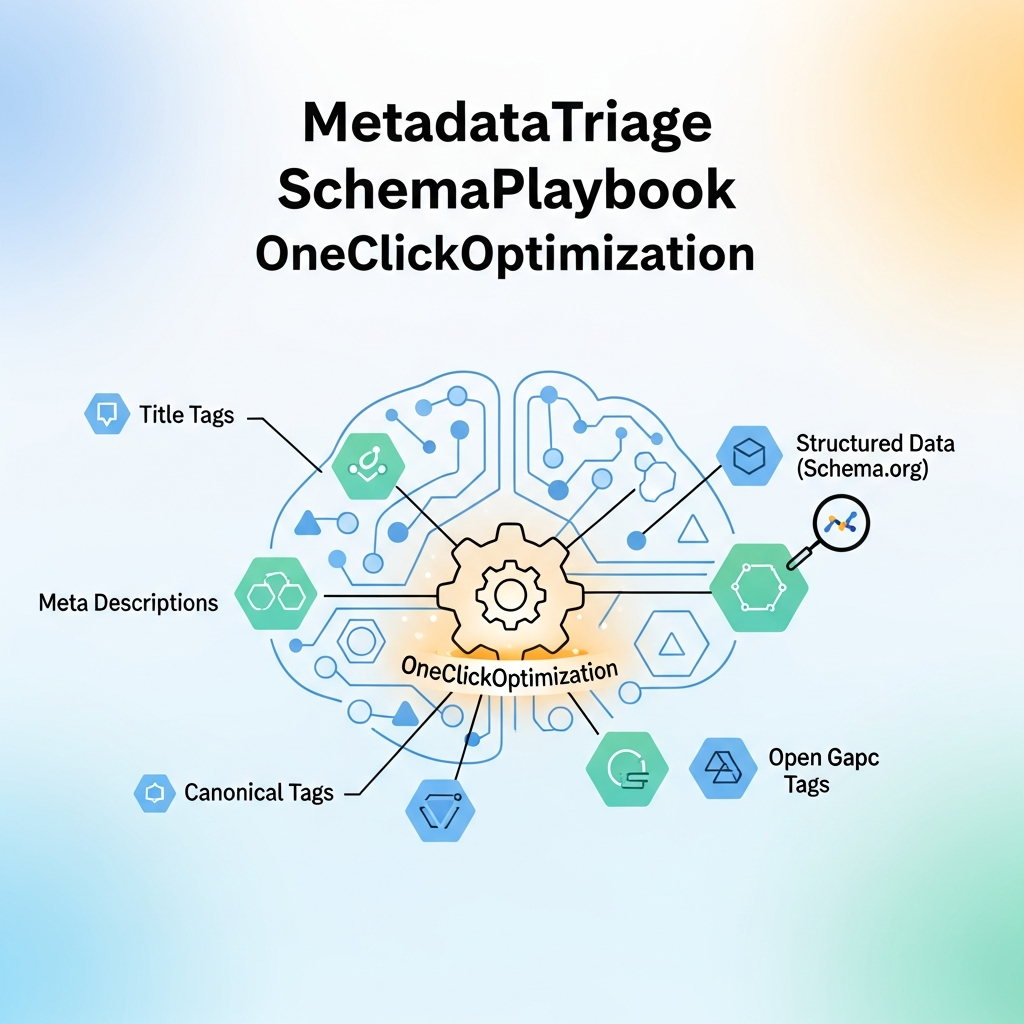
MetadataTriage: Schema Automation Playbook for One-Click Optimization of Meta Tags and Structured Data
Introduction
Metadata and structured data are the quiet drivers of on-page SEO. When implemented well, they help search engines understand page content, surface relevant results, and improve click-through rates. Yet many teams treat metadata as an afterthought, risking misaligned signals and lost opportunities. The MetadataTriage SchemaPlaybook provides a practical, repeatable approach to auto-generating metadata and schema with a single click, so pages become ranking-ready with minimal manual effort.
This guide is designed for agencies, SMB brands, SaaS companies, and publishers who want scalable, AI-assisted automation that respects brand voice and accuracy. You’ll learn how to orchestrate meta tags, structured data, and other metadata signals into a cohesive, maintainable pipeline that plays nicely with your CMS and content workflows.
Throughout the playbook, you’ll find concrete steps, checklists, and example configurations you can adapt to your tech stack. If you’re evaluating tools or building an automation roadmap, this article will help you map requirements, compare options, and plan for fast, predictable improvements in organic visibility.
For related guidance on editorial workflows and scalable publishing, explore our broader resources at editorial workflow for agencies and browse the broader blogs hub.
Why Schema Automation Matters for SEO
Automation isn’t about replacing humans; it’s about enabling teams to scale high-quality metadata discipline. When done well, schema automation reduces repetitive work, minimizes human error, and ensures consistency across pages, sections, and products. The benefits include faster page optimization, more consistent schema coverage, and the ability to keep metadata in sync with evolving content meanings and business rules.
Consider three common signals you can automate at scale:
- Meta titles and descriptions aligned to page intent and brand voice.
- Structured data markup that accurately describes products, articles, events, and FAQs.
- Canonical and hreflang signals to prevent duplicate content issues in multi-language sites.
Automation should be controlled by governance—rulesets that govern when to regenerate, what fallbacks to apply, and how to handle exceptions. The goal is a repeatable process that produces reliable, search-friendly signals without compromising content quality.
Key Components: Meta Tags, Structured Data, and Metadata
Meta Tags (Titles and Descriptions)
Meta tags are your first and most visible signal in search results. Automation can craft concise, compelling titles and descriptions that reflect the page’s real content while incorporating target keywords in a natural way. The aim is to improve click-through while avoiding keyword stuffing or misleading language.
Structured Data Schema
Structured data schema provides a language that search engines understand. Automating schema markup helps engines interpret page content accurately, enabling enhanced results such as rich snippets, FAQs, product carousels, and articles with contextual enhancements. A well-structured schema plan covers primary types (Article, Product, Organization, Organization) and supports extensions (FAQ, HowTo, BreadcrumbList) as appropriate.
Metadata Beyond Tags and Schemas
Other metadata signals matter, including canonical URLs, social metadata (Open Graph and Twitter Cards), image alt text, and language/country annotations. A complete automation approach coordinates these signals so they reinforce each other rather than creating conflicts.
When these components work in harmony, pages not only rank better but also deliver a clearer, more consistent experience for users across search results, social feeds, and the landing experience on your site.
The MetadataTriage Playbook: 8 Steps to One-Click Optimization
This playbook distills best practices into eight actionable steps you can implement today. Each step includes a concise checklist and practical examples you can adapt to your content strategy and CMS constraints.
Step 1: Define Scope and Governance
Identify which pages and templates will participate in automation. Establish ownership for metadata decisions, update cadences, and define fallback rules for pages with unique needs. Create a metadata roster that aligns with your brand voice and editorial guidelines.
Step 2: Map Page Types to Core Tags
Create a mapping between page types (blog posts, product pages, category pages, landing pages) and the core metadata to automate. Ensure the mapping covers title length expectations, meta description tone, and required schema types for each page category.
Step 3: Build a Centralized Content Model
Develop a single source of truth for metadata templates. Use placeholders and rules (e.g., {brand}, {page_type}, {primary_keyword}) to drive consistent output while allowing overrides when necessary for special campaigns or multi-brand environments.
Step 4: Automate Meta Tags with Guardrails
Implement a generator that populates title and description fields, then applies character limits, truncation rules, and brand tone checks. Include fallback values for missing data and alerts for potential discrepancies.
Step 5: Automate Structured Data at Page Level
Apply appropriate schema types to each page, with validated properties and required fields. Use a testing harness to verify syntax and ensure no markup conflicts with page content.
Step 6: Align Canonical and Language Signals
Configure canonical URLs and hreflang tags to prevent duplicate content and ensure the right regional versions surface in search results. Automate consistency checks across templates and locales.
Step 7: Integrate with CMS and Publishing Workflows
Connect your automation layer to the CMS you use, so that generated metadata updates are reflected in real time or on scheduled publish. Maintain compatibility with existing plugins and extensions to minimize friction.
Step 8: Monitor, Iterate, and Govern
Establish dashboards that track visibility signals (click-through rate, impression share), schema validation status, and error rates. Schedule regular audits to refine rules and address edge cases.
Architecture and Implementation Options
You can implement schema automation across different layers, depending on your tech stack, team structure, and risk tolerance. Here are common approaches and how they trade off control, speed, and maintainability.
Option A: CMS-Integrated Auto Tags
Leverage native CMS features or plugins to generate meta tags and attach schema markup. This approach is fast to deploy and familiar to editorial teams but may offer limited flexibility for complex multi-brand scenarios.
Option B: API-Driven Automation
Use an external service or internal API to generate metadata and push updates to the CMS. This provides greater control over governance and consistency across sites, channels, and locales, at the cost of additional integration work.
Option C: Serverless/Workflow Orchestration
Orchestrate metadata generation as part of a broader content pipeline. This model scales well for large catalogs and multi-location sites, enabling automated checks, validation, and rollback capabilities when needed.
No matter the approach, establish a clear change history, rollback mechanisms, and a testing environment so that live production pages aren’t disrupted during updates.
Practical CMS Implementation (WordPress, Shopify, Webflow)
Every CMS has its quirks. The following guidance emphasizes repeatable patterns you can adapt regardless of platform.
WordPress
Use blocks and meta fields to store templates for titles, descriptions, and schema blocks. Consider a validation layer to catch broken markup before publishing. Maintain a central snippet library for canonical, Open Graph, and schema components that can be injected across post types.
Shopify
Product and collection pages benefit from automated meta title/description generation and product schema. Ensure page templates pull dynamic data from product attributes and that localized variants align with hreflang rules for global storefronts.
Webflow
Webflow’s clean HTML output is ideal for structured data. Use an automation connector to populate JSON-LD blocks alongside SEO-related fields and coordinate with CMS-driven content to maintain consistency across pages.
Cross-platform consistency is essential. If you operate multi-brand or multilingual sites, use a centralized policy for title length, description tone, and schema coverage to prevent drift between platforms.
As a practical tip, document your templates and rule sets in a living playbook that editorial and development teams can reference during onboarding and updates.
Suggested internal reads: our blogs hub for broader context, and editorial workflow guide for scalable publishing patterns.
Common Pitfalls and Best Practices
Automation can amplify both strengths and weaknesses. Watch for these common pitfalls and use the accompanying best practices to keep your metadata program reliable.
- Over-optimizing meta titles and descriptions. Keep language natural and user-focused. Avoid keyword stuffing and misleading claims.
- Inaccurate schema markup. Always validate your markup with a reputable validator and monitor for changes in schema definitions.
- Inconsistent localization. Align canonical and hreflang signals across locales to prevent confusion for search engines.
- Failing to maintain governance. Build a change control process and regular audits to prevent drift over time.
Best practices to adopt now include versioned templates, automated validation tests, and a monthly review cadence to adjust rules based on performance and business priorities.
Measuring Impact and ROI
Automation investments should be measured by tangible SEO signals and editorial efficiency gains. Focus on three pillars: signal quality, coverage, and velocity.
Signal Quality
Track consistency between page content and metadata, and monitor schema validation results. Use quality gates to flag pages where signals diverge.
Coverage
Measure how many pages have complete metadata and schema coverage. Aim for comprehensive baseline coverage with targeted improvements where gaps exist.
Velocity
Evaluate how quickly metadata updates propagate to live pages and how this correlates with changes in rankings and click-through rates. Use dashboards that surface changes over time and provide actionable recommendations.
While exact ROI metrics will vary by organization, a systematic automation program tends to yield faster content cycles, more consistent signals, and clearer reporting for stakeholders.
Real-World Use Cases
These scenarios illustrate how teams leverage a metadata automation playbook to achieve scalable SEO improvements without sacrificing quality.
Agency Scenario
An agency manages multiple brands with distinct voices. A centralized automation layer ensures each brand’s pages receive brand-consistent titles, descriptions, and schema, while editors retain final approvals. The result is faster delivery timelines and more uniform client reporting.
SMB SaaS Scenario
A software company with a growing catalog uses automated meta tags and product schema to accelerate onboarding of new features and pages. Multilingual teams use a single set of governance rules to keep page signals aligned across markets.
E‑commerce Scenario
A D2C brand expands into new regions and languages. Automation handles localized metadata, product schema, and FAQ sections, ensuring consistency and reducing manual workloads during catalog expansion.
Each scenario benefits from a repeatable process that can be audited, measured, and refined over time.
Next Steps: How to Start Today
Begin by defining your governance, identifying the page types you will automate, and selecting an integration approach that fits your CMS and team structure. Create a lightweight pilot project to validate the end-to-end workflow before expanding to the full site.
Key actions to take this quarter:
- Document metadata rules, placeholders, and fallback values for each page type.
- Set up a validation checklist and a staging environment for testing.
- Connect your CMS and initialize a metadata template library with initial examples.
- Publish a controlled set of pages to monitor impact on visibility and user experience.
For further reading and context, explore the broader resource library on our site, including the blogs hub and the editorial workflow guide.