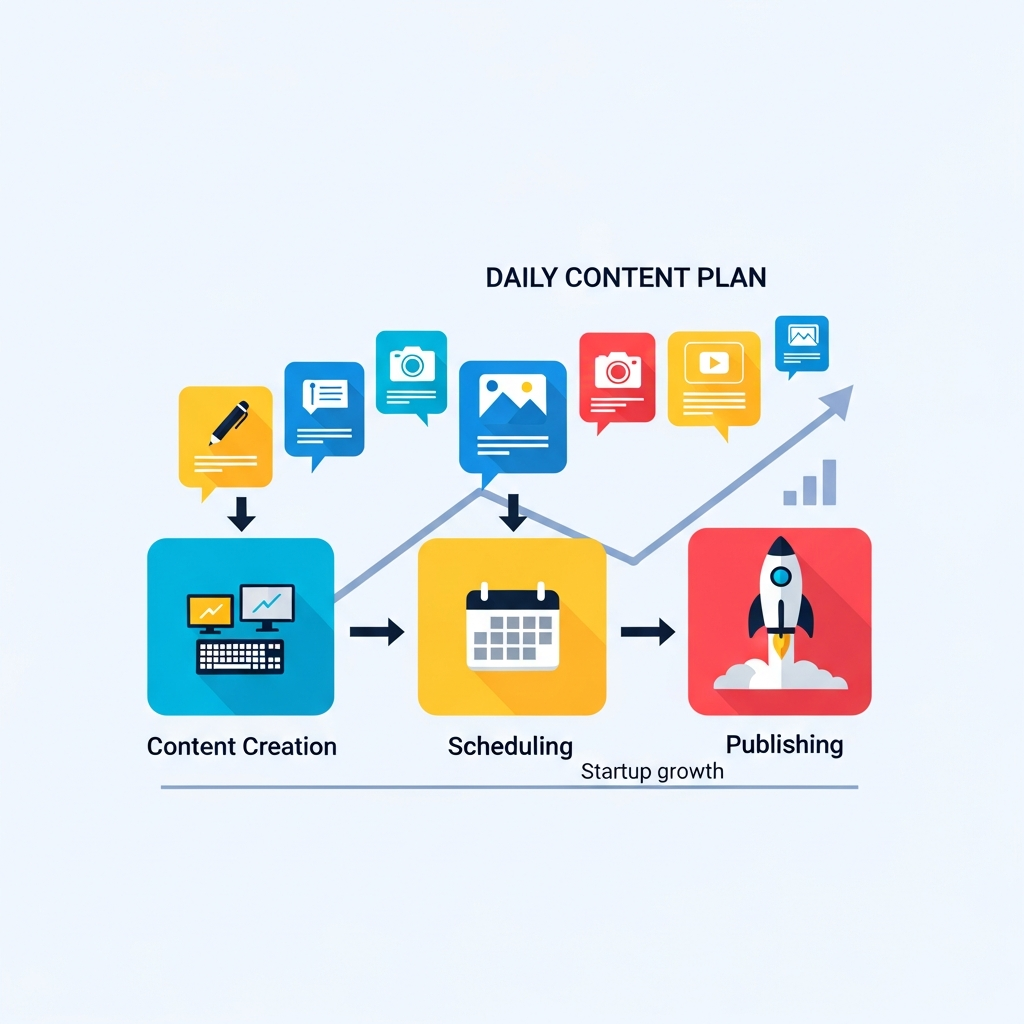
Autopublish Pipeline: A Practical Daily Plan for Startup Growth
Why an autopublish pipeline matters for startups
In fast-moving startups, consistency trumps bursts of sporadic activity. An autopublish pipeline ensures your content cadence stays steady even when teams are lean. By defining a daily content plan and aligning it with publishing automation, startups can maintain visibility, nurture audiences, and accelerate growth without bloating headcount.
The core idea is simple: plan once, automate the publishing lifecycle, and monitor results. When you combine a well-structured content calendar with automatic CMS publishing, you remove friction between idea creation, editorial review, and live posting. The result is reliable organic traffic, improved brand authority, and faster feedback loops to guide product development.
For startups, the autopublish approach also helps with experimentation. You can run small, time-bound content tests, compare performance, and iterate on topics, formats, and channels. Over time, this data-driven discipline compounds into stronger rankings, better audience engagement, and a clearer narrative for your product.
Core components of a daily content plan
A robust daily plan rests on three pillars: a well-annotated content calendar, automation that syncs content to your CMS, and quality gates that protect your brand. Together, they create a loop where ideas become published content with minimal manual intervention.
Daily cadence and topic discovery
Start with a fixed daily cadence that fits your team capacity. Many startups begin with one to two publish-ready assets per day, then scale up as processes mature. Topic discovery should be lightweight but data-informed, using audience questions, product updates, and competitive gaps as input. A simple weekly briefing can keep the pipe flowing without overwhelming editors.
Content calendar automation
A content calendar automation system maps topics, authors, publication dates, and distribution channels. It automatically assigns tasks, flags conflicts, and adjusts schedules when priorities shift. The calendar becomes the single source of truth, visible to content, product, and growth teams alike.
Automation here means more than scheduling. It includes templates for briefs, standardized SEO inputs, and metadata presets. When the calendar is wired into your CMS, you can push content with a single click, with pre-approved structure and SEO-ready elements already in place.
CMS auto publish and content hooks
CMS auto publish is the capstone of the pipeline. It ensures that once content passes quality checks, it is published according to the schedule. Advanced hooks can also trigger cross-channel distribution—posting to social channels or newsletters automatically once a post is live.
Keep in mind the necessity of safeguards. Even in automated workflows, human oversight remains essential for brand voice, accuracy, and compliance. The goal is smart automation, not blind execution.
For practical ideas and templates, see our broader editorial workflow resources in our blog library.
Related: Overview of your editorial workflows (opens in a new tab), or explore specific regional automation examples like the São Paulo case study here.
Architecture and tech: fitting the startup stack
Designing an autopublish pipeline starts with clarifying data sources, CMS choices, and integration points with existing tools. A lightweight, modular setup reduces risk and accelerates time-to-value. Start by mapping three layers: content input and creation, automation and publishing, and analytics and feedback.
Layer 1 — Content input and creation
Identify reliable input sources for ideas: customer questions, support tickets, product updates, and keyword opportunities. Use lightweight templates to standardize titles, meta descriptions, header hierarchy, and image assets. This helps downstream automation generate SEO-friendly content without starting from scratch each time.
Layer 2 — Automation and publishing
Choose a CMS with strong API support or native automation features (WordPress, Webflow, etc.). Implement a publishing bridge that can move drafts from your editor to the CMS with one click, applying consistent structure, internal links, schema markup, and canonical tags. Consider a staging environment to test content flow before going live.
Automations should be rule-based and auditable. Define what content requires review, what can auto-publish, and how to handle exceptions. This makes the system robust while preserving brand quality.
Layer 3 — Analytics and feedback
Embed real-time dashboards that track impressions, click-through rates, time on page, and conversion signals. Use these metrics to refine topics, formats, and posting frequency. A feedback loop closes the gap between planning and performance, enabling continuous improvement.
To see how a cohesive automation stack looks in practice, consult our beginner-friendly editorial workflow resources linked earlier.
Step-by-step implementation guide
Follow a practical, repeatable process to build your autopublish pipeline in weeks rather than months. The steps assume you already have a basic CMS and a content team, but the approach scales down for solo founders too.
Step 1 — Define daily content cadence and guardrails
Decide on a sustainable publishing target (for example, one article and one short post per day). Document guardrails for tone, accuracy, and accessibility. Specify minimum SEO requirements (word count targets, header usage, image alt text, schema usage) so automation can apply them consistently.
Step 2 — Build the content calendar and templates
Create a master topic list, a 2-week rolling calendar, and reusable templates for briefs, outlines, and final posts. Include fields for keywords, meta data, internal links, and images. Use automation rules to populate dates and assign editors.
Step 3 — Implement the publishing bridge
Set up a connection between your editor workspace and the CMS. The bridge should push drafts to the CMS, attach SEO metadata, and apply structure (H1, H2s, image alt text). Ensure the system can trigger publication based on the calendar or manually when needed.
Step 4 — Establish quality gates
Define automated checks (plagiarism, readability, factual accuracy, image licensing) and a human review step for high-risk topics. Build a lightweight approval workflow that balances speed with quality.
Step 5 — Test and iterate
Run a 4-week pilot, monitor results, collect feedback from readers and internal teams, and adjust topics, cadence, and formats. Use early wins to justify expanding the automation scope.
Want a practical example? Our Brasilian São Paulo automation guide demonstrates a regional adaptation of auto publishing for ecommerce content. It can be a helpful blueprint for other locations as well.
Best practices, pitfalls, and risk mitigation
Avoid over-automation
Automation should accelerate quality content, not replace human judgment. Preserve a human-in-the-loop for nuance, brand voice, and accuracy. Regularly review automated outputs for errors and biases that automation might miss.
Maintain brand voice and accessibility
Templates and presets help ensure consistency, but they should be flexible enough to adapt to evolving brand voice. Include accessibility checks (alt text, readable font sizes, proper heading structure) in the automation rules.
Compliance, legality, and ethics
Ensure content complies with platform rules, data privacy, and copyright guidelines. Establish a policy for user-generated content and external references to protect your startup from potential violations.
Data-informed iteration
Track the performance of topics and formats. Use this data to prune underperforming ideas and invest more in those that resonate. A well-tuned autopublish pipeline evolves with your audience.
Real-world examples and checklists
A practical checklist helps you stay aligned as you deploy the autopublish pipeline. Here is compact but actionable guidance you can adapt today:
- Define one daily publish target and a 2-week content backlog.
- Map a single source of truth for topics, owners, dates, and CMS status.
- Set a publishing window for content that passes automated checks and editor review.
- Attach SEO metadata and internal links automatically during publishing.
- Review analytics weekly and adjust the calendar and templates accordingly.
For broader context on editorial workflows and scalability, explore our editorial workflow guide and related case studies in our blog catalog, linked in the next section.
How to evaluate tools and vendors
Choose tools that play well with your CMS, support scalable content production, and offer transparent reporting. Key criteria include ease of integration, white-label capabilities (if you work with clients), real-time analytics, and robust content templates that enforce quality.
Ask vendors for a pilot plan, expected time-to-value, and a concrete ROI framework. Demand straightforward SLAs and product roadmaps that align with your growth timeline. For agencies and multi-brand setups, prioritize white-label reporting and multi-site publishing features.
To see how teams implement editorial automation at scale, refer to our editorial workflow resources and the São Paulo publication automation example linked earlier.
Internal references: Editorial workflow for agencies (opens in a new tab), Editorial content calendars (opens in a new tab), and our São Paulo case study Brazilian e-commerce publishing (opens in a new tab).
Next steps and calls-to-action
Ready to pilot your autopublish pipeline? Start by documenting a 14-day backlog and a 7-day publishing window. Build a minimal automation bridge between your editor and CMS, then gradually layer on templates and metadata presets. Use early results to justify broader rollout across products or markets.
For teams seeking ready-made workflows and guidance, explore our broader content automation resources and consider engaging with a pilot program to test your specific needs. If you want to dive deeper, you can read more about editorial workflows on our main blog hub here (opens in a new tab).
Finally, if you’re evaluating multiple vendors, request a side-by-side feature comparison and a short ROI model. A well-structured autopublish pipeline often pays for itself within a few publishing cycles by turning content into consistent, repeatable growth channels.