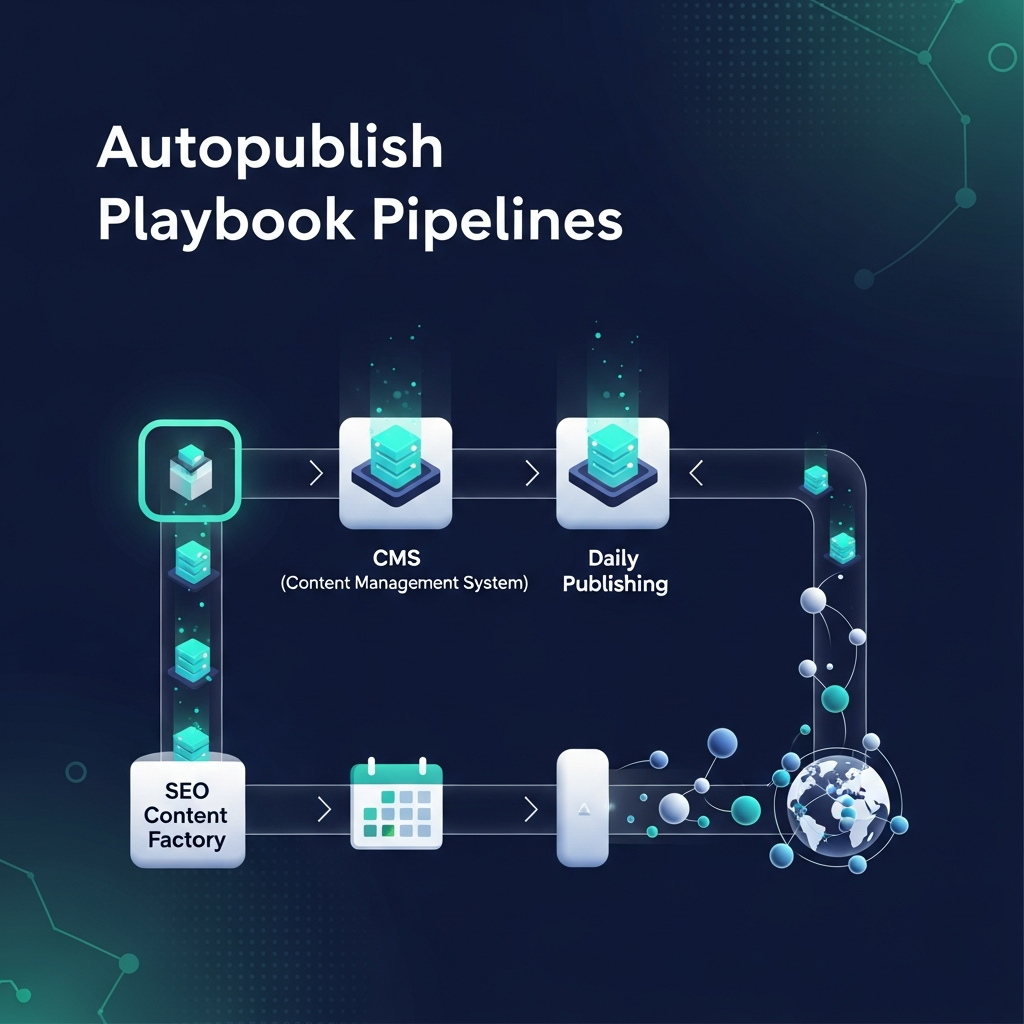
Autopublish SEO Content: A Practical Playbook for Daily CMS Publishing
Why autopublish SEO content matters
In today’s fast-moving digital landscape, content freshness and scale are critical for organic visibility. Autopublish SEO content enables teams to generate, optimize, and publish posts with minimal manual intervention. The effect isn’t just about saving time; it’s about creating a repeatable, data-informed process that aligns content with search intent at scale.
When you publish content automatically, you can maintain a steady cadence that signals activity to search engines. That consistency, paired with structured data, internal linking, and on-page optimization, helps pages be crawled faster and ranked more reliably. The approach is especially powerful for agencies managing multiple clients, or brands with broad product catalogs and multilingual needs.
To explore practical examples and editorial patterns, you can read more about editorial workflows in our referenced resources like Editorial workflow for agencies and related articles on the blog.
Architecture of an autopublish pipeline
A robust autopublish system combines four core layers: data inputs, content templates, SEO optimization rules, and a publishing scheduler that talks to your CMS. Each layer should be modular, so you can swap in new AI models or data sources without breaking the entire flow.
Data inputs include topic signals, keyword clusters, buyer personas, and content briefs. Templates define the structure of posts, sections, and call-outs, ensuring brand voice and formatting stay consistent at scale. SEO optimization rules cover title tags, meta descriptions, headers, alt text, internal linking, schema markup, and canonical URLs. Finally, the publishing layer connects to your CMS and handles scheduling, versioning, and publishing across channels when needed.
Within this architecture, consider a lightweight governance layer that gates content with a quick human review step for high-stakes topics. This preserves quality while keeping the majority of content flowing automatically. For more on the editorial mechanics, see the linked resource on editorial workflow.
Build a set-and-forget workflow
Creating a reliable workflow begins with defining goals and success metrics. Then you map the steps from idea to publish, assign ownership, and set clear SLAs for each stage. Below is a practical checklist you can adapt.
- Define publishing cadence and target channels (blog only, cross-post to social, or newsletter snippets).
- Choose a topic selection method: data-driven topics from keyword clusters or revenue-aligned themes.
- Set up a content brief template that includes intent, audience, and required sections.
- Design templates for AI generation that enforce readability, structure, and SEO signals.
- Configure automatic optimization rules for headers, meta data, image alt text, and internal links.
- Implement a one-click CMS publish action with versioning and rollback options.
To see a hands-on guide to editorial workflows for agencies, visit Editorial workflow for agencies.
Also consider a 2-tier quality gate: automated checks plus a quarterly human audit to ensure alignment with brand and legal requirements.
Planning keyword strategy for autopublish
Autopublish thrives when content topics are tightly aligned with search intent. Start by clustering keywords into themes that map to buyer journeys. Each theme gets a content calendar with a mix of cornerstone guides, long-tail posts, and product or category pages where appropriate.
A practical approach is to create a quarterly topic plan that combines evergreen guides with timely, event-based content. For multilingual sites, plan language-specific clusters and ensure translations preserve intent and keyword targeting.
For inspiration on related reading, check our Portuguese article on automation in Sao Paulo: SAO Paulo automation.
From idea to live post: the automation pipeline
1) Topic to brief
Begin with a concise brief that states the target keyword, search intent, audience, and required sections. Attach any preferred examples or visuals. Use templates to capture consistency across posts.
2) AI-assisted content generation
Leverage AI to draft long-form articles from the brief. Apply tone and brand voice constraints, check for factual alignment, and ensure the narrative flows logically from introduction to conclusion.
3) SEO optimization pass
Run automatic checks for title, meta description, H1-H3 structure, image alt text, and canonical URLs. Insert internal links to relevant pages and optimize for featured snippets when applicable.
4) Internal linking and schema
Automate internal linking by suggesting contextually relevant anchor pairs. Attach schema markup (Article, WebPage) to support rich results and improve crawlability.
5) Review and approvals
Set up a lightweight review queue for high-impact topics. Use a checklist to verify accuracy, tone, and compliance before publish.
6) Publish to CMS
Use one-click publishing to the CMS with a proper publish window. Ensure versioning is enabled so you can rollback if needed. Consider cross-posting snippets to social channels if governance allows.
Refer back to the architecture layer for structure and governance. The aim is to minimize manual steps while preserving quality and compliance.
For a broader view on an automated publishing flow, explore internal resources like the homepage or the broader blog catalog here.
CMS integration options and considerations
Today’s autopublish pipelines connect to a wide range of CMS platforms. The most common integrations include WordPress, Shopify, and Webflow, each with slightly different API patterns and content modeling capabilities. Your integration plan should address:
- Authentication and secure access for automated publishing
- Content modeling compatibility with your templates
- Media handling, alt text, and accessibility standards
- Scheduling controls and version history
Internal links to practical guides and examples include a quick browse to Editorial workflow and the main blog hub Blogs.
Quality, safety, and governance
Automation should augment human judgment, not replace it. Establish guardrails such as accuracy checks, style alignment, and compliance reviews for sensitive topics. Build in error handling, clear rollback paths, and alerting if publishing failures occur.
Keep a living checklist that covers factual accuracy, copyright considerations, and brand voice consistency. Regularly review schema and canonical strategies to avoid content cannibalization and duplicate content issues.
Metrics, dashboards, and ROI
Track the right signals to prove the value of autopublish. Core metrics include organic traffic growth, time-to-publish, publishing frequency, and on-page engagement. Complement these with technical signals like crawlability and indexability, as well as backlink quality for pages that acquire links through automation.
Use transparent dashboards to share progress with stakeholders. If you manage multiple sites or brands, consider centralized reporting with white-label capabilities for clients or leadership teams.
Getting started: a 14-day pilot plan
Begin with a focused pilot on a single site or a small catalog. Day 1–2: define goals, topics, and briefs. Day 3–5: set up templates and initial AI generation. Day 6–8: run automated optimization and internal linking. Day 9–11: publish a batch of posts and monitor performance. Day 12–14: review results and adjust the workflow.
During the pilot, keep the human review to a minimum, but schedule a weekly quality audit. This approach minimizes risk while proving the value of automation to stakeholders.
For more practical examples of editorial automation and publishing, you can consult: asimpletool homepage and disclaimer for governance notes.