Automated Cross-Platform Publishing for D2C Brands: From Brief to Live on WordPress, Webflow, and Shopify
Why cross-platform publishing matters for D2C brands
Direct-to-consumer brands operate across multiple touchpoints where content surfaces in CMS-driven blogs, landing pages, product pages, and microsites. A cross-platform publishing approach ensures that a single brand brief can become consistent, on-brand content across WordPress, Webflow, and Shopify without sacrificing quality or timeliness.
Key benefits include faster time-to-publish, unified brand voice, and a connected content ecosystem that supports SEO, paid, and social channels. When publishing is API-driven, product launches, seasonal campaigns, and evergreen resources can scale without fragmenting the narrative or diluting the brand. This is especially important for brands that frequently update catalogs, run A/B tests, or publish regional variants.
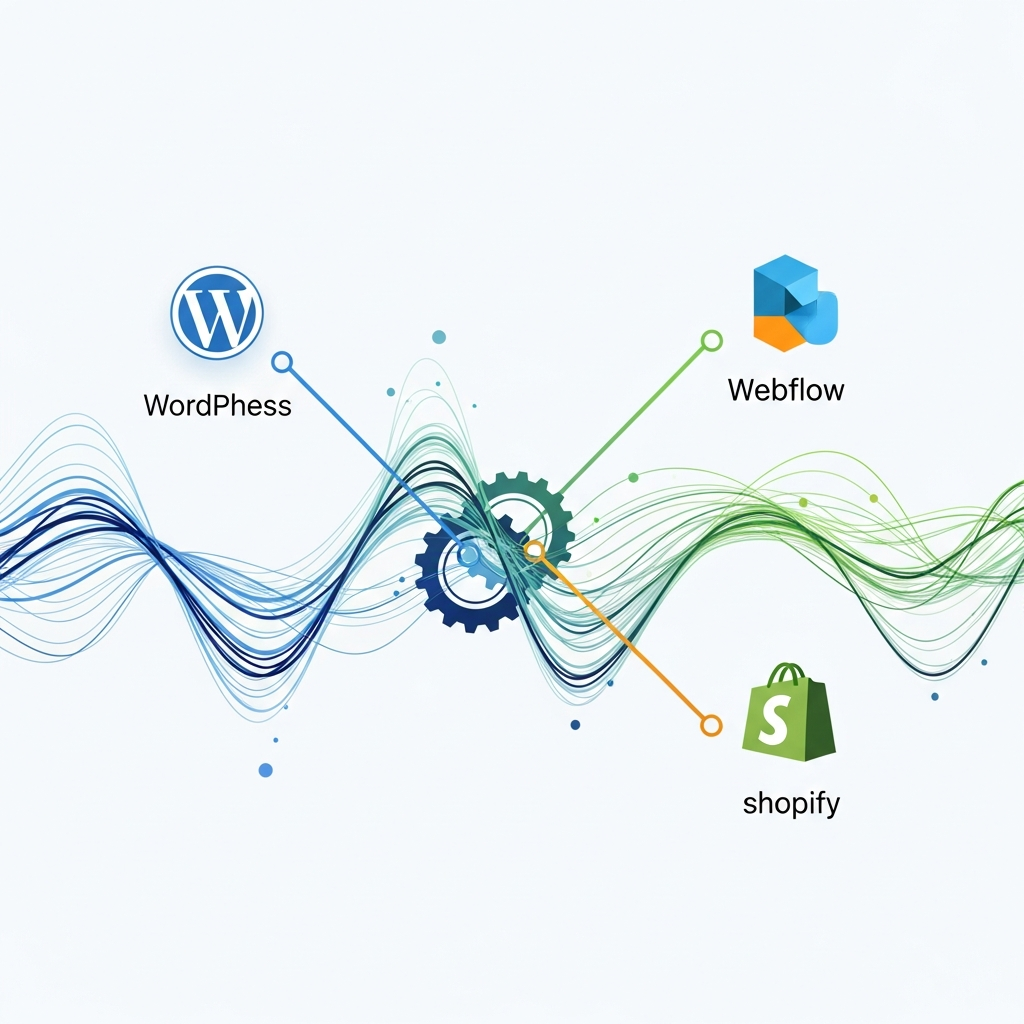
In practice, this means mapping a single content brief to three distinct delivery paths: a WordPress article, a Webflow CMS page, and a Shopify product guide or marketing content block. Each delivery path preserves the core narrative while respecting platform-specific constraints such as rich media, structured data, and storefront relevance.
Architecture options for API-first publishing
An API-first approach treats content as a service that can be consumed by any front-end or channel. For D2C brands, there are three practical architectures to consider:
- Direct API publishing: Use platform APIs (WordPress REST API, Webflow CMS API, Shopify Admin API) to push content directly from your content system. Ideal for tightly controlled pipelines with strong governance.
- Headless orchestration: A lightweight orchestration layer can translate a single content brief into platform-specific payloads, handling validation, media processing, and metadata enforcements before dispatch.
- Middleware-based publishing: A centralized content platform that publishes to multiple CMSs via adapters. This reduces the number of touchpoints editors must manage and helps enforce brand guidelines.
When implementing these architectures, consider latency, error handling, and rollback strategies. Build robust validation rules, ensure schema conformity for AI-assisted content, and implement automated QA to catch formatting or data issues before publication.
Brand voice governance at scale
Maintaining a consistent brand voice across three platforms requires a governance layer that codifies tone, terminology, and style. Start with a centralized style guide, supplemented by machine-readable prompts and templates. Use language models with guardrails that constrain voice, vocabulary, and sentence length to align with your brand archetype.
Practical steps include:
- Publish a living style guide that editors can reference in real time.
- Create a library of reusable content blocks and prompts aligned to brand voice.
- Implement content governance rules that enforce terminology, preferred spellings, and data sourcing standards.
Governance should also cover data freshness. When numbers, quotes, or statistics are included, require citations and timestamped data to avoid outdated claims in live pages across WordPress, Webflow, and Shopify.
API publishing workflows: briefs, templates, and automation
Effective API publishing starts with a well-defined content brief. The brief becomes the payload for each platform, with platform-specific fields populated automatically.
Core workflow components:
- Brief intake: A structured form captures intent, audience, product/category context, and required media formats.
- Payload templating: Templates generate WP REST, Webflow CMS, and Shopify-ready structures from the brief.
- Quality checks: Automated checks verify branding, data accuracy, and media readiness.
- Publish & verify: Content is published to all three platforms with post-publish checks for rendering and SEO signals.
Templates should produce reusable code blocks and content fragments. A single brief can translate into an on-page article, a marketing landing page, and a support article—all synchronized in content and metadata.
Templates, constraints, and content briefs
Templates capture structure, not just words. They encode sections, headings, meta data, and media requirements to ensure consistency across platforms.
Key components to include in every template:
- Headline and subheadings mirroring the core narrative
- Intro paragraph with a problem-solution framing
- Structured data blocks for SEO and AI-readiness
- Media plan: images, infographics, and video metadata
- Platform-specific payload rules (WordPress blocks, Webflow collections, Shopify sections)
Governance constraints ensure claims stay current, sources are cited, and data is refreshed on a cadence that matches product lifecycles and campaigns.
From brief to live: a practical step-by-step workflow
- Capture the brief: Editors input audience, intent, tone, and required outcomes. Include product context and regional variants if needed.
- Generate platform-ready payloads: An automation layer converts the brief into WordPress, Webflow, and Shopify-ready content blocks.
- Create media assets: Trigger media generation or selection for images, thumbnails, and infographics that fit each platform.
- Quality assurance: Run governance checks, spell and fact checks, and ensure media aligns with brand standards.
- Publish to all platforms: Push content to WordPress, Webflow, and Shopify with a single click or scheduled cadence.
- Post-publish validation: Verify rendering, SEO metadata, and cross-platform consistency.
- Measure impact: Start collecting analytics for traffic, engagement, and conversions.
SEO, analytics, and cross-platform backlinks
Cross-platform publishing should support SEO signals beyond a single CMS. Use consistent title tags, meta descriptions, structured data, and canonical relationships where appropriate. A networked backlink strategy can amplify visibility by surfacing interconnected content across channels and platforms, while internal linking within the same brand ecosystem reinforces topic authority.
Practical tactics include:
- Unified sitemap strategy that covers WordPress, Webflow, and Shopify pages
- Structured data alignment to improve AI search visibility
- Cross-linking between related articles, product guides, and category pages
Measuring impact and iterative improvements
Establish a dashboard that tracks engagement metrics, time-to-publish, and platform-specific performance. Compare baseline traffic and conversions before and after implementing API publishing across WordPress, Webflow, and Shopify. Use A/B tests to refine headlines, media formats, and metadata to maximize AI-readability and user experience.
Regular retrospectives help you tighten governance, adjust prompts, and improve payload templates. The goal is a repeatable loop: plan, publish, measure, learn, and iterate across platforms.
Pitfalls to avoid and best practices
Be wary of over-automation that neglects quality checks. Always gate content with human review at critical moments such as new product launches or regional campaigns. Keep media assets accessible and optimized for each platform’s constraints to prevent rendering issues.
Best practices include maintaining a living content brief library, standardized QA checklists, and versioned templates. Establish an escalation path for failed publishes and ensure rollback procedures exist for each platform.
Roadmap: how to start and scale with vendors
Begin with a small, controlled pilot that covers a single content category and three platform deliveries. Use the pilot to validate payload templates, governance rules, and the end-to-end publishing process before expanding to broader product lines.
When selecting tools or partners, look for API-first capabilities, governance features, and a track record of reliability with WordPress, Webflow, and Shopify integrations. Prioritize platforms that offer clear documentation, robust error handling, and strong security practices.
Roadmap essentials include: documenting the workflow, defining KPIs, setting cadence for briefs, and establishing a center of excellence to govern cross-platform content production.